What the reMarkable Paper Pro is
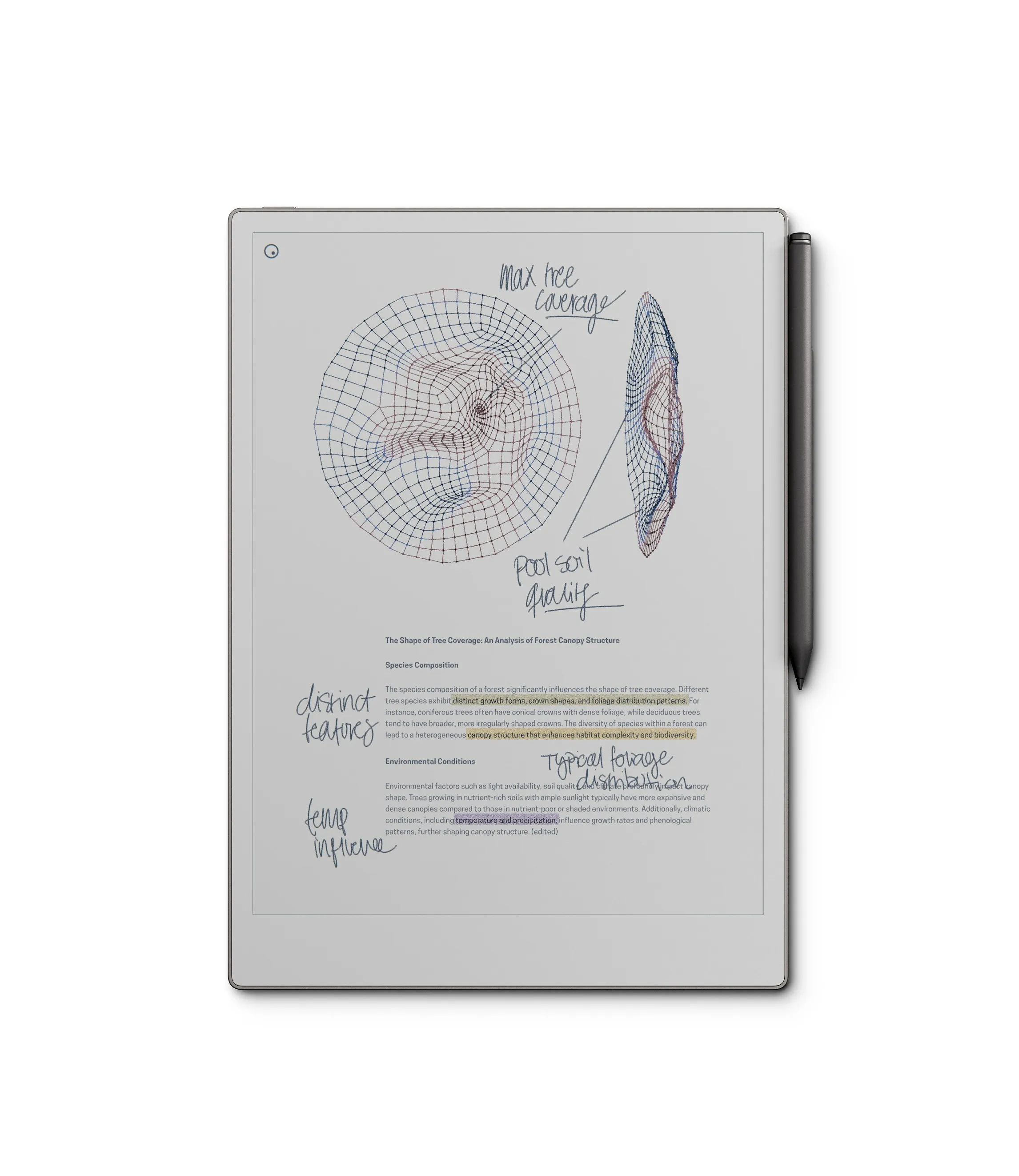
The reMarkable Paper Pro is the third-generation e-ink writing tablet from the Norwegian company reMarkable. According to manufacturer specifications, it features an 11.8-inch e-ink display with a textured surface designed to replicate the friction of writing on paper, and a stylus (the reMarkable Marker) with 4,096 levels of pressure sensitivity. The device runs a custom operating system with no web browser, no app store, and no notification system. Core functions are handwritten notes, PDF and ePub annotation, and document organization. Cloud sync and handwriting-to-text conversion require the Connect subscription.
Why it's genuinely distraction-free
The reMarkable Paper Pro is distraction-free not as a mode or toggle but as a consequence of its design. There is no browser to open, no email client, no social media, and no push notifications. The e-ink display, while high-quality for writing, is not suited to video or interactive UI — a deliberate constraint that defines the product's category. For knowledge workers who need a separate surface for focused writing and document annotation, the device provides tablet- level capability without the distraction profile of a tablet. User reports consistently describe it as the device actually used for deep work sessions, in contrast to an iPad or laptop where a browser is three seconds away.
The writing experience
The textured e-ink surface combined with the reMarkable Marker is consistently described in user reviews and technology coverage as the best pen-on-screen writing experience in the category. According to reMarkable's documentation and independent user reports, the Paper Pro generation has near-zero perceptible lag for most users — a significant improvement over earlier e-ink writing devices. The friction of the surface is higher than glass tablets, producing resistance closer to writing on paper. For note-taking, where lag disrupts the natural pace of handwriting, this matters practically.
PDF reading and annotation
Beyond handwriting, the reMarkable Paper Pro's most consistently praised use case is PDF annotation — reading long documents, academic papers, and reports with handwritten margin notes that sync back to the original file. Based on user reports in professional and academic contexts, the 11.8-inch display is large enough to read most PDFs at native size without continuous scrolling. Annotations export and sync via Connect. For people currently annotating PDFs on a laptop or iPad — where a browser and inbox are also open — moving this workflow to the reMarkable removes the ambient distraction risk of those environments.
The Connect subscription
Some features require the Connect subscription (around $3/month per manufacturer pricing as of this review). These include cloud backup and sync, handwriting-to- text conversion, and sending notes via email. The device works as a local note- taking and PDF-annotation tool without a subscription, but most features that distinguish it from a paper notebook require Connect. For buyers who prefer not to carry recurring costs on hardware, this is a meaningful consideration.
Who should buy it
The reMarkable Paper Pro is best suited for knowledge workers, researchers, and students who work extensively with long documents, take frequent handwritten notes, and want those notes to be searchable and shareable. The device earns its premium price for people who have a genuine PDF and handwriting workflow — annotating papers, writing meeting notes that need to be retrieved later, or drafting in longhand. For people whose main goal is moving a daily planner or journal off a phone, the Hobonichi Techo is a more accessible and more genuinely analog starting point.
Who should skip it
The reMarkable Paper Pro is not the right choice for someone who primarily needs a planner or journal — paper is more appropriate and dramatically cheaper. It is also not suited for anyone who wants a general-purpose tablet, audiobooks, or color content. The device does one thing (distraction-free writing and reading) very well; if that specific use case doesn't match your workflow, the price is not justified.